Comms Timeline
Demo data
No calls here match this filter.
CallCore connects your 3CX phone system to Salesforce — every call, recording and transcript on the right record, and AI that flags what mattered: possible vulnerability, complaints, promises and follow-ups.
No manual entry. No CSV exports. No chasing reps for call notes.
 V20
Salesforce
Microsoft sign-in
Hosted in the UK
Calls logged. No one asked. Teams running 3CX and Salesforce set this up in about fifteen minutes.
Fictional calls, real CallCore output. Play a call, click a pin or chapter, or open View full transcript.
What teams say after using it
Results from teams exactly like yours.
3CX businesses. Salesforce users. People who thought this would be more complicated than it was.
Now, every interaction is captured in a single chronological timeline, giving our teams complete visibility of the customer journey whenever they answer the phone.
What changes for your team
Your reps already live in Salesforce. Now everything that happens on the phone lives there too.
Every inbound and outbound call — answered or missed — syncs automatically after it ends. No rep action required. Open a Contact, an Account, or an Opportunity and see every call that ever touched it, going back as far as you want.
Click play on any call recording directly inside Salesforce. No external links, no logging into 3CX, no forwarded audio files. The full transcript and AI summary are right there too — everything your team needs to walk into the next conversation prepared.
Call activity, conversation summaries, and recordings are all in Salesforce — the place your managers are already looking. No more self-reported call logs. No more guessing whether a rep called a prospect. The data is there, clean, and trusted.
New · AI call insights · rolling out now
A transcript tells you what was said. CallCore now tells you what it meant — and puts it on the Salesforce record, with the exact moment in the recording one click away.
Key moments
Possible vulnerability, dissatisfaction, a promise made, money discussed, agreement to proceed — each flagged with who said it, the words they used, and a pin on the recording.
1:42 · External participant “I’ve just been made redundant, so money’s really tight at the moment…”
QA scorecards
Your criteria, in plain English. Each one passed or failed with the quote and timestamp as evidence.
Follow-ups
“I’ll send that letter by Friday” becomes a follow-up with an owner and a date. One click makes it a Task on the record.
Relationship
First contact or follow-up, how many earlier calls, and what was already explained — so nobody repeats a disclosure or asks the same questions twice.
Stereo transcripts
With 3CX stereo recording, each side is transcribed on its own: every word on the right person, highlighted as it plays.
Built for regulated teams. Vulnerability spotted, outcomes recorded, promises tracked — the evidence a Consumer Duty review asks for, without anyone filling in a form. AI insights are rolling out to customers now and are priced separately from call sync.
Try it on a demo callFor every 3CX team · Salesforce or not
Where CallCore started: the call report someone used to build by hand from 3CX exports, and live leaderboards that make a quiet office competitive. No Salesforce needed.
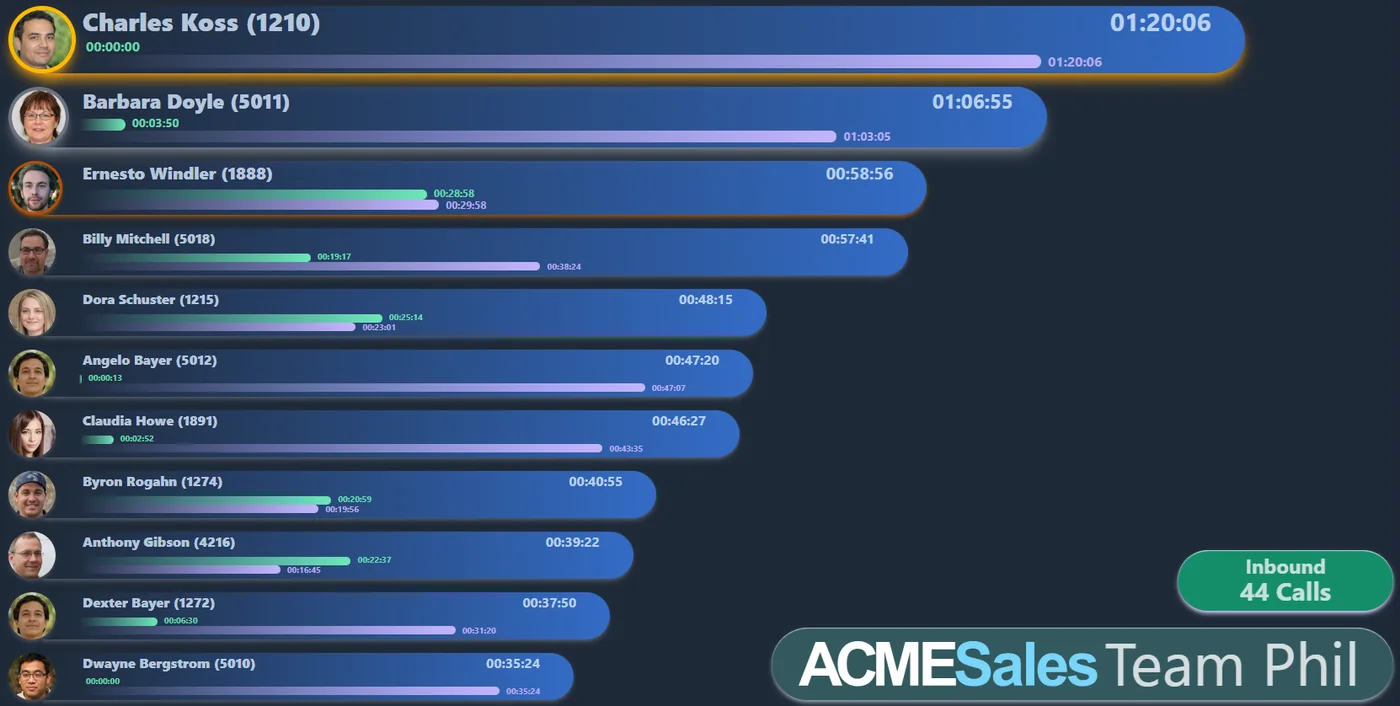
Live leaderboards on the office TVs
Open CallCore on the TV and ask to dock; approve it from the console. Then drag on the boards each screen should show — one per team, rotating every 15 seconds, updating live as calls happen. Nothing to install.
Scheduled call reports
A PDF for each team, emailed to whoever needs it on the days and times you choose — lunchtime and end of day, say. Calls in, out and total, call time and average, first and last call, per person.
| Handler | In | Out | Call time |
|---|---|---|---|
| Charles Koss | 2 | 31 | 1h 20m |
| Barbara Doyle | 3 | 27 | 1h 07m |
| Ernesto Windler | 9 | 11 | 59m |
| Team (43) | 44 | 121 | 14h 32m |
Teams are set up in the CallCore console, so the report, the TVs and the Salesforce sync all follow the same people.
CallCore has given my office that extra competitive edge, with team members determined to climb the leaderboard. Leading to more calls and sales that naturally benefits the business.
 Daniel Yeo
Director · Specialist Finance Centre · 3CX
CallCore has given me the vital call stats for my team. I can now see inbound, outbound, and total call times and this transparency has increased call volumes since being put into the business.
 Ben Gillespie
Director · Chaseblue Loans · 3CX
How a TV joins
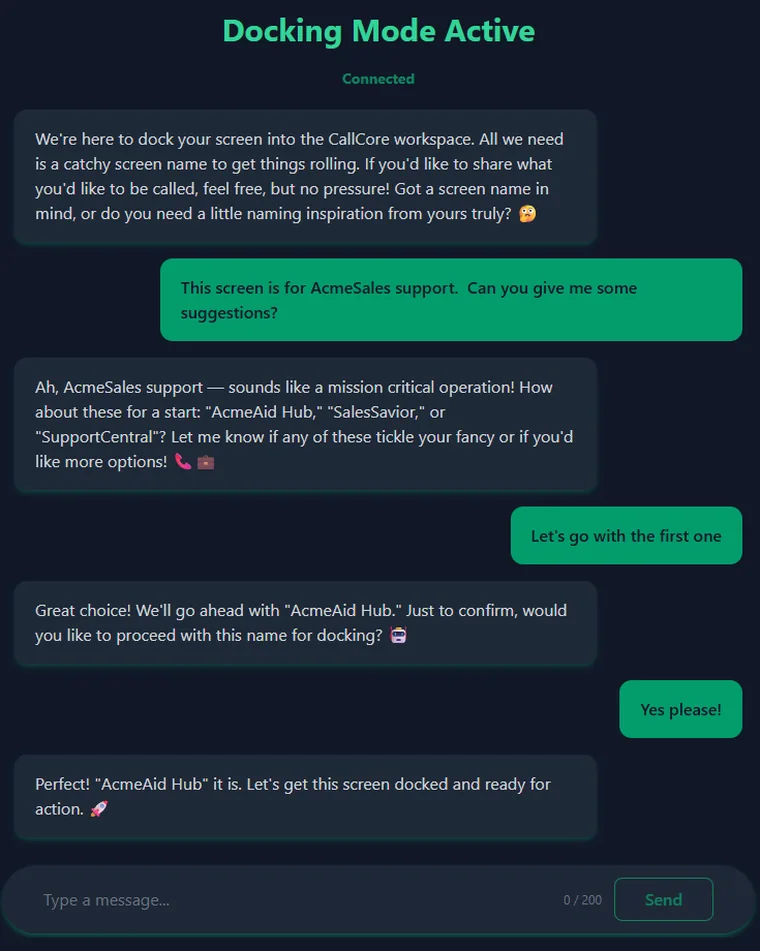
1Open CallCore on the TV
Any smart TV or screen with a browser. An assistant asks what the screen is for and suggests a name.
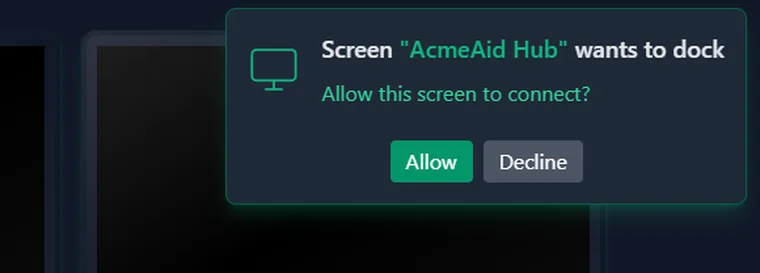
2Approve it from the console
The screen asks to dock; you click Allow. No codes to type on a TV remote.
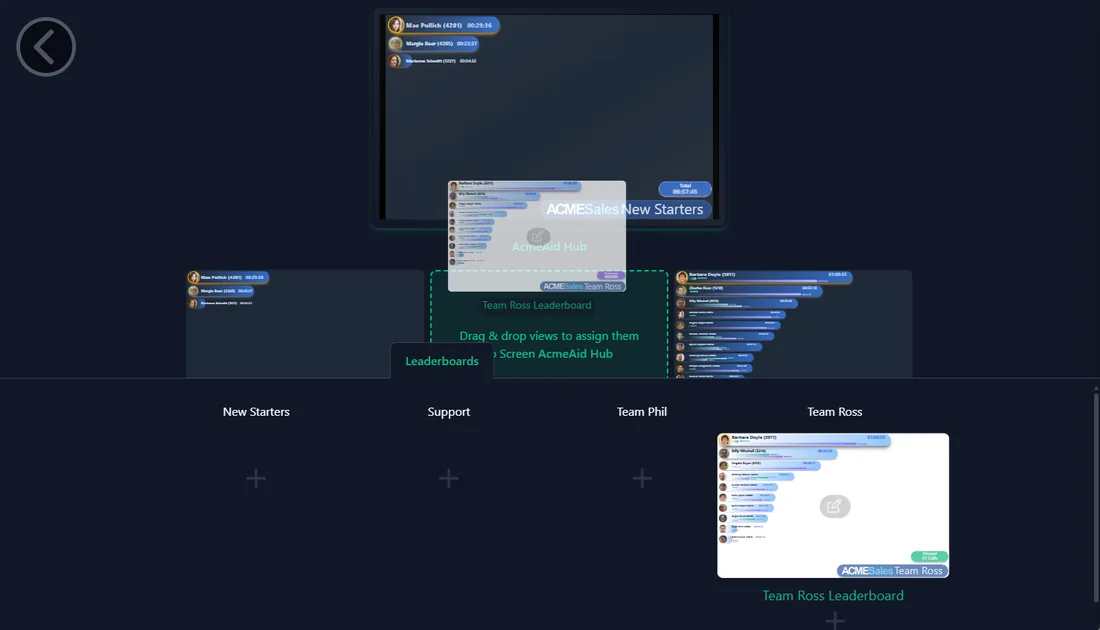
3Drag on what it should show
Drop each team's leaderboard onto the screen. They take turns, and changes appear on the TV straight away.
Setup
Most phone-to-CRM integrations are IT projects. This is not. Two steps, two tools you already have, and it's done.
Choose a subdomain. Add one email address as a user in your 3CX system. That's it — CallCore authenticates itself, syncs your team, and starts pulling in call history automatically.
Install the CallCore package, create one integration user, and click Connect. A standard Salesforce OAuth screen, one click to grant access, and everything configures itself.
Drop the Communication Timeline component onto any record page — Contacts, Accounts, Opportunities, or any custom object your team uses. Your history appears immediately.
Setup was genuinely about fifteen minutes. I kept waiting for the catch and there wasn't one.
Before, advisors pieced together emails, phone calls and notes from different systems to understand a case. Now every interaction sits in a single chronological timeline, so your team has complete visibility the moment they answer the phone. Reviewing a complaint, resolving a query about what was said on a previous call, or covering for a colleague who is away.. the full history is there, without relying on anyone's memory.
Every call your team handles becomes structured, permission-gated data in Salesforce. Conduit, our Services API, lets you read that same data from your own Apex.. scoped to the right records, normalised, and gated by the permissions you already trust. Build on Conduit and you are building on the exact logic we ship, not a bolt-on export.
Our own timeline runs on this API. The Communication Timeline your advisors use reads from the Services pipeline like any other consumer. It is not a special case, so your Apex keeps working as the package evolves.
Before you ask
No FAQs buried at the bottom. The things that matter, up front.
No — it works with your org as it actually is. Out of the box, it handles Contacts, Accounts, and Opportunities on standard fields. Custom objects, custom phone fields, custom relationships? A developer who knows your org can add them with roughly 10–15 lines of code. That's an afternoon task, not an integration project. If you don't have a developer in-house, the CallCore team can do it for you.
You're in full control of who gets synced — nobody is, by default. Only the handlers you place in the Transcribe & Sync team flow into Salesforce. HR, finance, IT — never in scope unless you deliberately add them. And every synced call is fully transcribed and summarised — there's no half-way mode, so Salesforce never fills up with bare log stubs.
Recordings stream securely through CallCore's proxy — your 3CX system is never exposed to the outside world, and recordings never leave the controlled environment. Inside Salesforce, access is gated by granular permissions: users can hear their own calls by default, and you choose exactly what else each role can access — logs only, summaries, full transcripts, or recordings.
About 30 seconds after setup, you'll see two months of call history backfilling in real time on the analytics dashboard you land on. How far back you want to go — and whether historical calls should be transcribed and summarised — is entirely your choice. You see it happening as it arrives.
Pricing
per active call handler / month
That's £1.00 per user-day with AI Analytics, and £0 base. You only pay for handlers who actually took a call that day — anyone absent, part-time or off-shift costs nothing, so most months come in under that.
What counts as an active call handler? →
See your 3CX data in action — free for 14 daysNo credit card required. Subscribe only when you're ready.
Prices exclude VAT, which is added to your monthly invoice.
Every call your team makes from this moment forward lands in Salesforce automatically. Every call from the last two months appears within 30 seconds of setup. There is no version of this where it takes longer to try than to keep wondering about it.